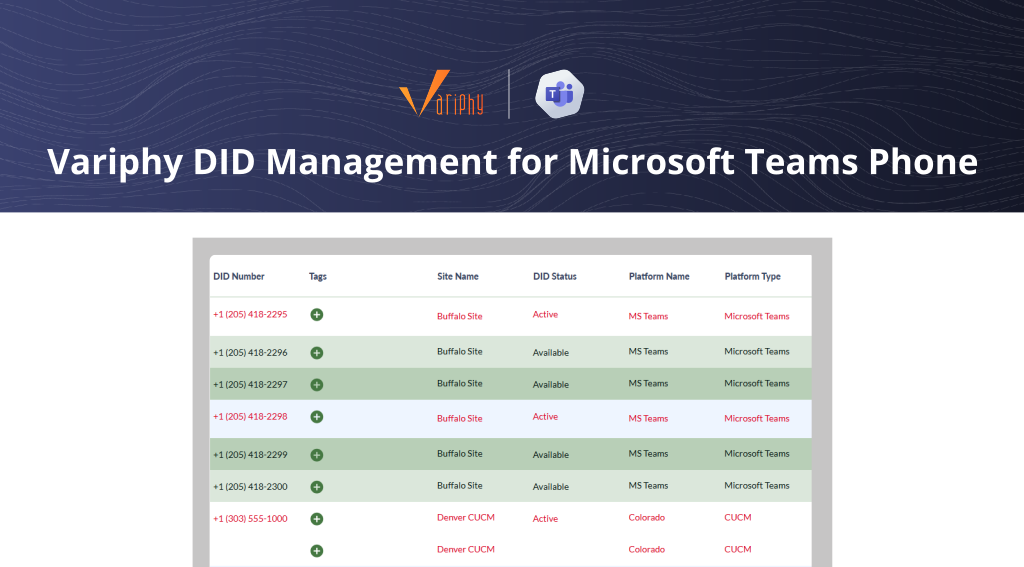
Simplify DID Provisioning for Microsoft Teams Phone
End manual provisioning. Automate DID assignments with full traceability and emergency compliance.
START FREE TRIAL
Simplify DID Provisioning for Microsoft Teams Phone
End manual provisioning. Automate DID assignments with full traceability and emergency compliance.
START FREE TRIALDID Provisioning for Microsoft Teams Phone

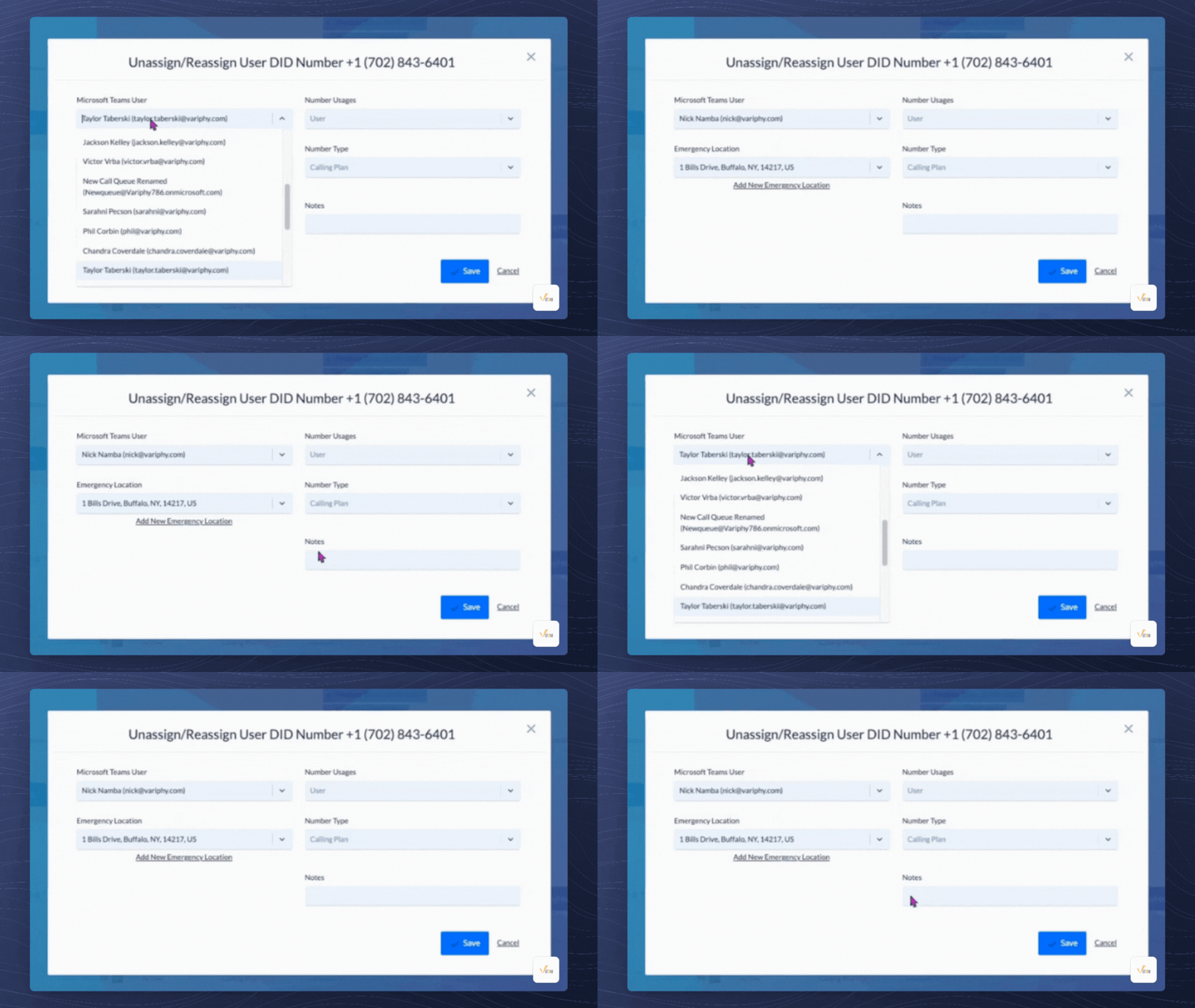
Assign, unassign, or reassign DIDs to Microsoft Teams users in just a few clicks.

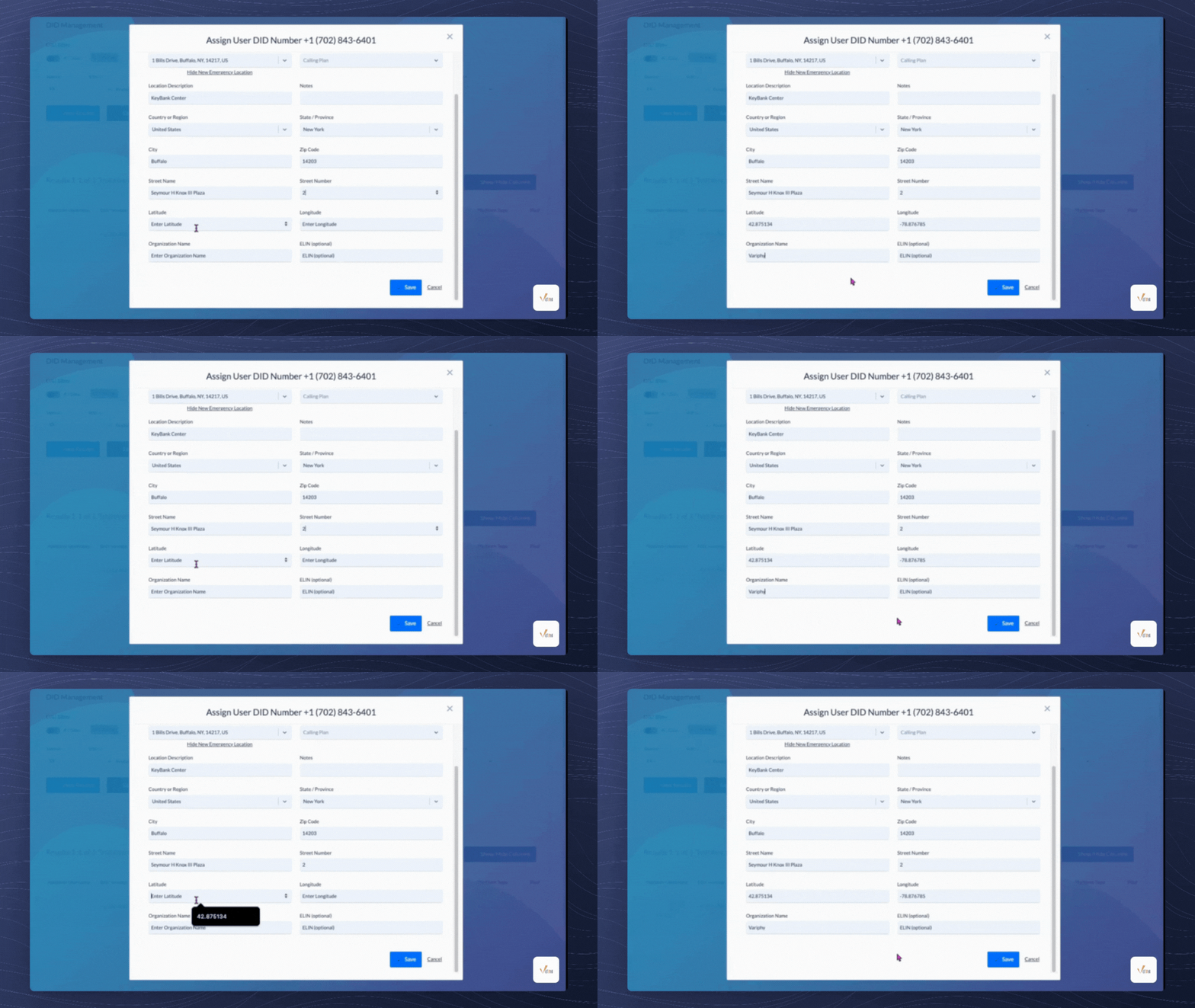
Link or create Emergency Locations during provisioning for streamlined compliance.
.svg)
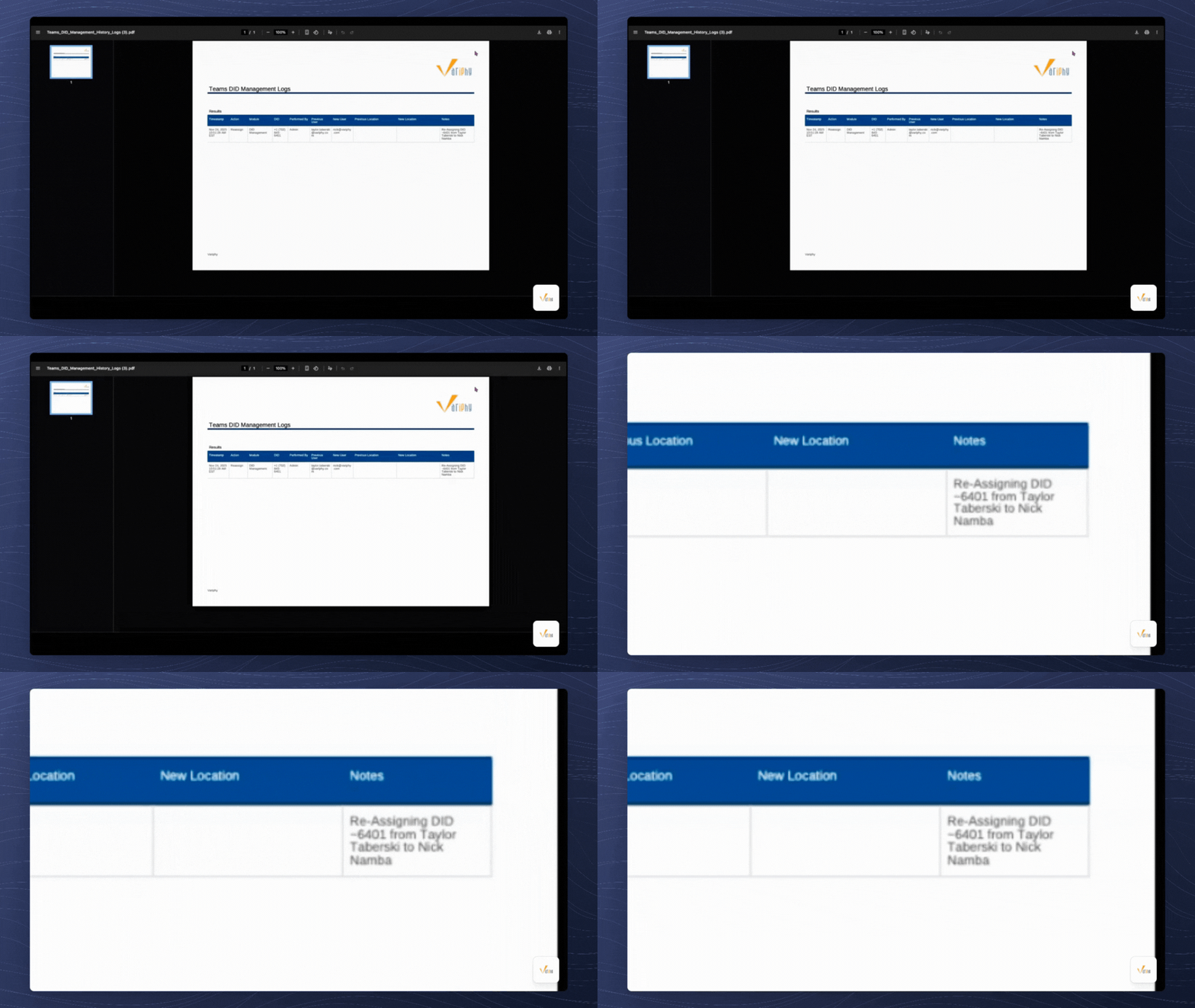
Track every provisioning action with detailed logs and exportable reports.

Understand how each number is used, with visibility into type and purpose.

Quickly recover and reassign unused DIDs to reduce waste and speed up onboarding.
Extract structured data from hundreds of documents at the same time.
Extract structured data from hundreds of documents at the same time.
Extract structured data from hundreds of documents at the same time.
Extract structured data from hundreds of documents at the same time.
Extract structured data from hundreds of documents at the same time.
Extract structured data from hundreds of documents at the same time.
Extract structured data from hundreds of documents at the same time.
Extract structured data from hundreds of documents at the same time.
Extract structured data from hundreds of documents at the same time.
Extract structured data from hundreds of documents at the same time.
Extract structured data from hundreds of documents at the same time.
Extract structured data from hundreds of documents at the same time.
Extract structured data from hundreds of documents at the same time.
Extract structured data from hundreds of documents at the same time.
Extract structured data from hundreds of documents at the same time.
Extract structured data from hundreds of documents at the same time.
Extract structured data from hundreds of documents at the same time.
Extract structured data from hundreds of documents at the same time.
Extract structured data from hundreds of documents at the same time.
Extract structured data from hundreds of documents at the same time.
Extract structured data from hundreds of documents at the same time.
Extract structured data from hundreds of documents at the same time.
Extract structured data from hundreds of documents at the same time.
Extract structured data from hundreds of documents at the same time.
Extract structured data from hundreds of documents at the same time.
Extract structured data from hundreds of documents at the same time.
Extract structured data from hundreds of documents at the same time.
Extract structured data from hundreds of documents at the same time.
Extract structured data from hundreds of documents at the same time.
Extract structured data from hundreds of documents at the same time.
Extract structured data from hundreds of documents at the same time.
Extract structured data from hundreds of documents at the same time.
Extract structured data from hundreds of documents at the same time.
Extract structured data from hundreds of documents at the same time.
Extract structured data from hundreds of documents at the same time.
Extract structured data from hundreds of documents at the same time.
Smarter DID Provisioning for Microsoft Teams
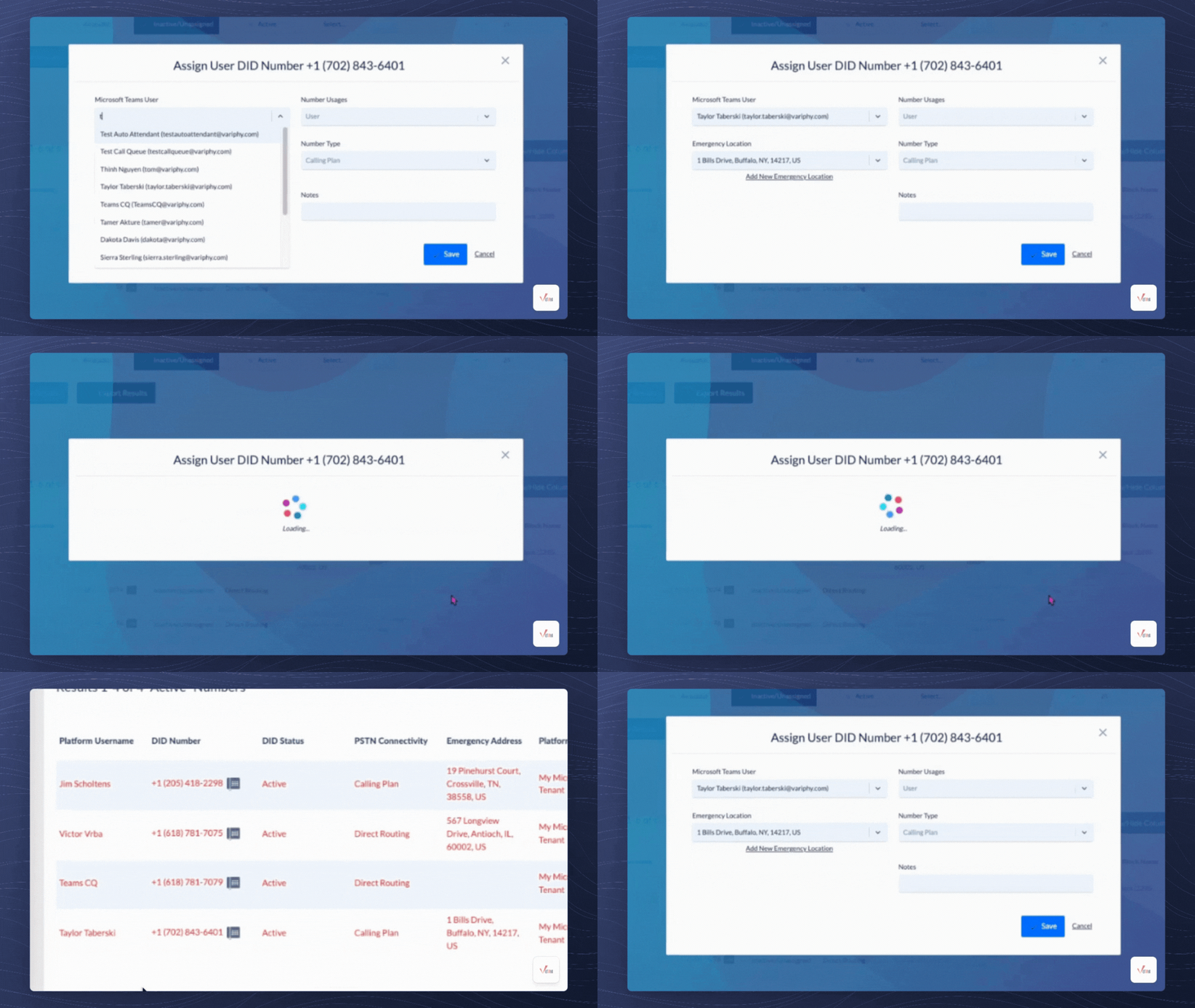
Direct Number Provisioning
Manage Direct Inward Dial (DID) numbers to Microsoft Teams users through Variphy’s intuitive interface.
Emergency Location Linking
Map existing Emergency Locations to DIDs or create new ones during the provisioning process.
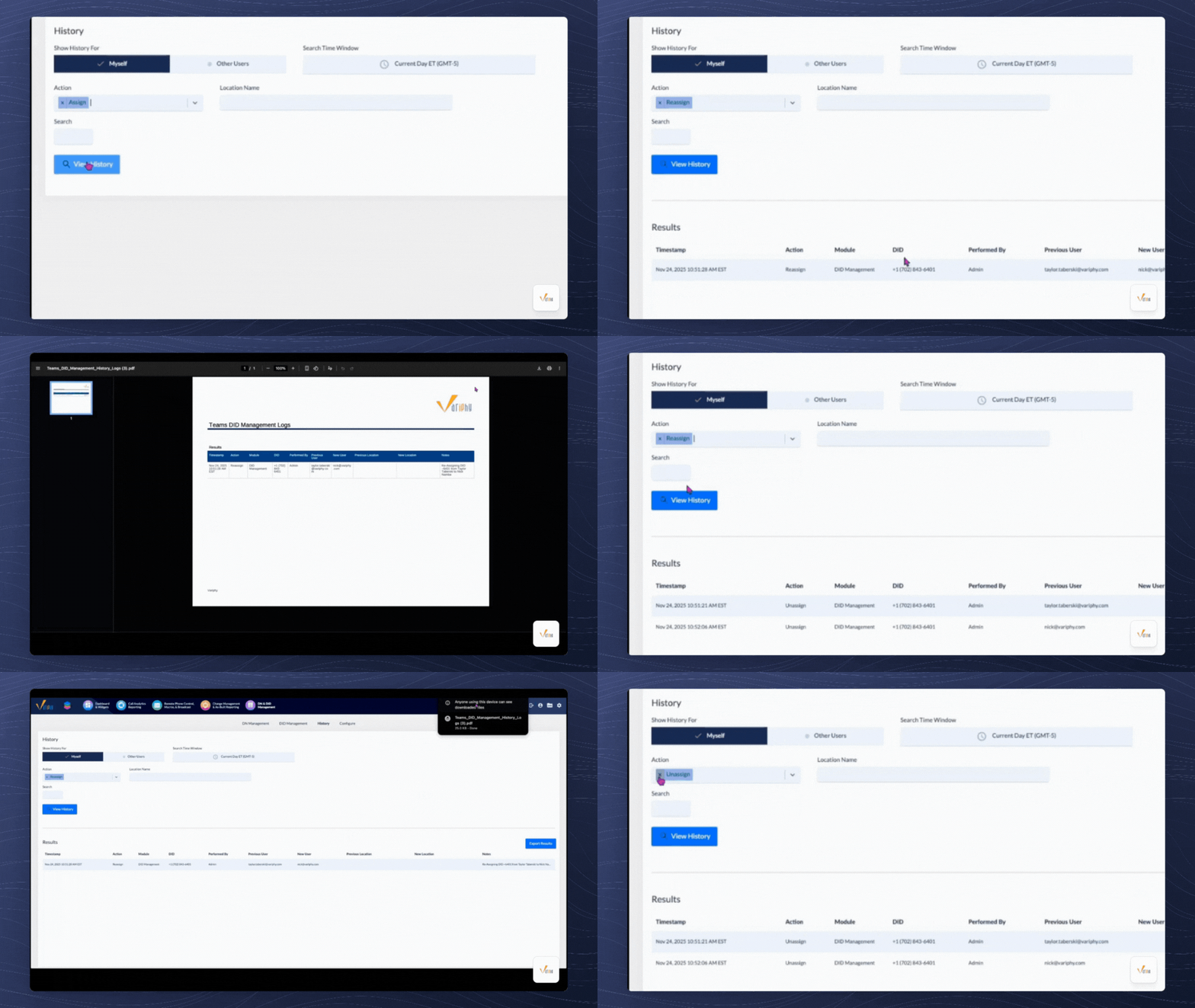
Provisioning History Log
Access a complete, time-stamped record of all provisioning actions for accountability and auditing.
Provisioning Notes
Add contextual notes to each action, supporting team communication and documentation clarity.
Usage & Type Visibility
View real-time DID usage status, number type, and assignment context within a centralized dashboard.
Exportable Reports
Generate downloadable history reports in CSV or PDF formats for internal records or compliance needs.
.gif)
Frequently Asked Questions
Variphy adds provisioning capabilities that go beyond Teams’ default tools, including emergency location linking, historical logs, and advanced reporting, all in one interface.
Yes. During provisioning, each DID can be assigned or updated with a valid Emergency Location to ensure compliance with dispatchable location requirements for 911 calls.
Absolutely. Admins can create and assign Emergency Locations during the provisioning workflow without switching platforms.
Yes. Every action is logged with timestamps and user attribution. You can export logs in CSV or PDF formats for audits or internal documentation.
Yes. Variphy makes it easy to reclaim and reassign DIDs between users, helping reduce number waste and maintain a clean inventory.
Access is role-based. You can define who has permission to provision, assign, or view DIDs based on admin roles.
Yes. DID Provisioning is fully integrated with the existing DID Management interface, providing a seamless experience from inventory to action.
Featured Resources

Connect with us



Technology Partners